Checking student understanding is an important part of effective teaching. During online classes, teachers may find it difficult to know whether students are following a lesson, understanding key concepts, or struggling with a particular topic. Asking questions verbally can help, but not every student feels comfortable answering in front of the entire class.
Live polls offer a simple way to collect responses from students during a lesson. Teachers can ask questions, display answer options, and review responses to understand how well learners are following the material. When used effectively, polls can make online lessons more interactive and help teachers make better decisions about what to explain next.
What Are Live Polls in Online Teaching?
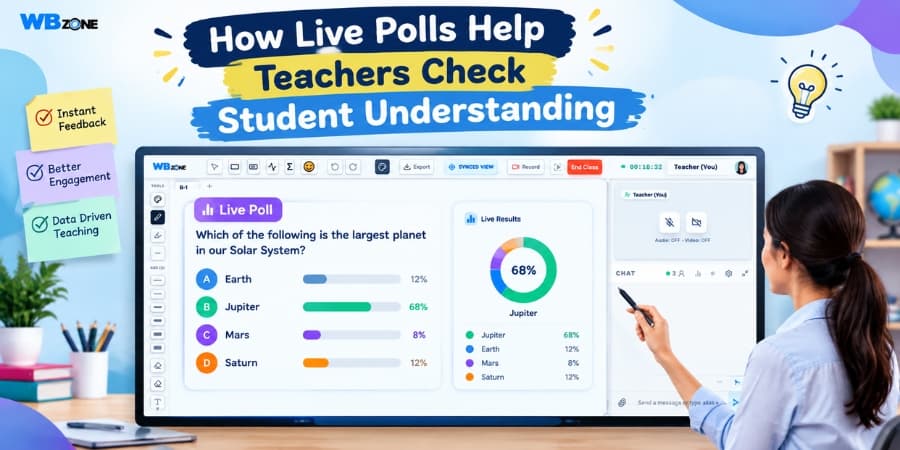
Live polls are interactive questions that teachers share with students during a live class. Students select an answer or submit a response, and the teacher can review the collected results. Depending on the platform, results may appear instantly as percentages, charts, or response summaries.
Teachers can use polls to check prior knowledge, review important concepts, identify common mistakes, or gather opinions about a lesson. They can also use them to encourage participation from students who might otherwise remain quiet during online discussions.
How Live Polls Help Teachers Check Student Understanding
1. Identify Learning Gaps During the Lesson
Students may understand one part of a topic but struggle with another. Without regular checks, teachers might move ahead before everyone has understood the main concept.
Live polls allow teachers to ask short questions after explaining an important idea. If many students choose an incorrect answer, the teacher can revisit the topic, provide another example, and clarify the confusing points before continuing.
2. Encourage More Students to Participate
In a traditional question-and-answer session, a few confident students may answer most questions while others remain silent. This makes it difficult to understand how the whole class is progressing.
Polls give every student an opportunity to respond. Students can participate by selecting an answer without needing to speak in front of everyone. This can make classroom interaction more accessible, especially for learners who feel hesitant about answering aloud.
3. Provide Immediate Feedback
Feedback is most useful when students can connect it directly to the question they have just answered. Live polls help teachers review responses during the lesson rather than waiting for a test or assignment to be completed.
For example, if a teacher asks a science question and notices that many students have selected the same incorrect option, the teacher can explain why that answer is incorrect. Students then have an opportunity to correct their understanding immediately.
4. Reveal Common Misconceptions
Students sometimes make mistakes because they misunderstand a definition, apply a rule incorrectly, or confuse two similar concepts. A carefully designed poll can help reveal these misconceptions.
Teachers can include answer options based on common errors. The response pattern may indicate which idea needs further explanation. This makes it easier to focus on the areas where students need the most support.
5. Make Online Classes More Interactive
Long online lessons can become tiring when students only listen to explanations. Introducing short polls creates opportunities for learners to think about the topic and actively respond.
Teachers can use polls after explaining a concept, before starting a new section, or during revision. These short activities can break up a lesson and help students stay involved throughout the session.
6. Adjust Teaching Pace According to Student Responses
Every class has learners with different levels of preparation and learning speed. Moving too quickly can leave some students confused, while spending too much time on familiar material may reduce engagement for others.
Poll results provide a quick indication of how well students have understood a topic. Teachers can use this information to decide whether to continue, repeat an explanation, give another example, or provide an additional practice question.
7. Support Revision and Exam Preparation
Live polls can also be useful during revision sessions. Teachers can create multiple-choice questions based on previous lessons, important definitions, formulas, or exam-style problems.
Reviewing the responses helps identify topics that may require additional practice. Students also get an opportunity to recall information and check their understanding before moving on to more advanced questions.
Examples of Live Polls for Different Subjects
Teachers can adapt poll questions to match the subject, age group, and learning objectives of their students.
| Subject | Example Poll Question | What the Teacher Can Check |
|---|---|---|
| Mathematics | What is the next step in solving this equation? | Understanding of the solution method. |
| Science | Which process explains this observation? | Knowledge of scientific concepts. |
| English | Which sentence uses the correct tense? | Understanding of grammar rules. |
| History | Which event occurred first? | Knowledge of chronology and events. |
| Competitive Exam Preparation | Which option best answers this practice question? | Recall, accuracy, and application of knowledge. |
Best Practices for Using Live Polls Effectively
Polls are most useful when they support a clear learning objective rather than interrupting the lesson without purpose. Teachers can follow these practices to get better results.
- Ask clear questions: Use simple wording and answer options that relate directly to the topic.
- Keep polls short: A small number of focused questions can provide useful feedback without taking too much class time.
- Use polls at the right moment: Ask questions after an important explanation or before moving to a more difficult concept.
- Discuss the results: Explain the correct answer and address common mistakes instead of simply displaying the results.
- Create a comfortable environment: Encourage participation without embarrassing students for choosing an incorrect answer.
- Use responses to plan next steps: Revisit difficult concepts or provide additional exercises when the results suggest students need more support.
How WhiteboardZone Can Support Interactive Online Lessons
WhiteboardZone provides an online teaching environment designed to support interactive lessons. Its teaching-focused tools can help educators explain concepts visually and engage with students during virtual classes.
When live polls are available as part of the teaching setup, educators can use them alongside explanations, discussions, and practice activities to check student understanding. Teachers should review the platform's available features and workflow to determine how polls fit into their specific classroom needs.
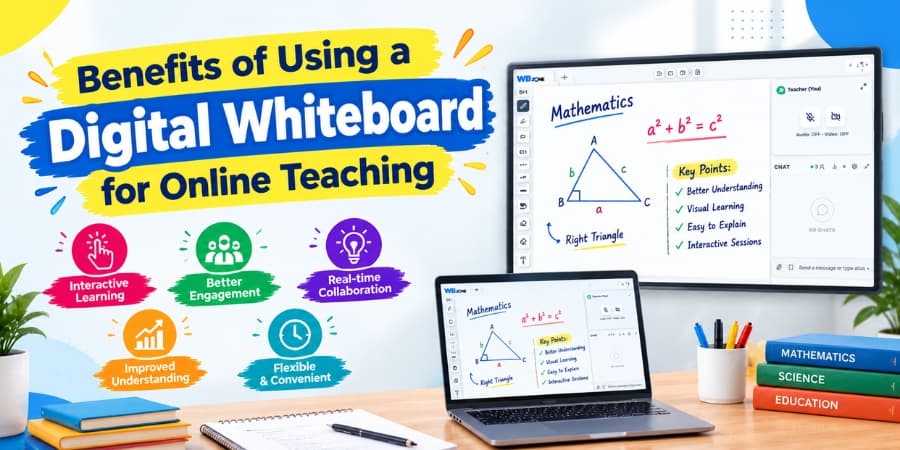
Combining interactive activities with a digital whiteboard for online teaching can help educators present information visually, invite student participation, and respond to learning difficulties during the session.
Conclusion
Live polls provide teachers with a practical way to check student understanding during online lessons. They help identify learning gaps, reveal common misconceptions, encourage participation, and provide immediate feedback. They can also support revision and help teachers decide when a topic needs further explanation.
For the best results, teachers should use clear questions, discuss the answers, and treat poll responses as one part of a broader assessment approach. By combining interactive polls with effective explanations and classroom discussion, educators can create a more responsive and engaging online learning experience.