Online teaching has made it easier for tutors to connect with students from different locations. However, conducting an effective online class requires more than just a video call. Tutors need the right online teaching tools to explain concepts clearly, communicate with students, share study materials, and check learning progress.
Using suitable tools can make virtual classes more interactive and organised. Here are some useful tools every tutor should know about to improve the online learning experience.
1. Digital Whiteboard Tools
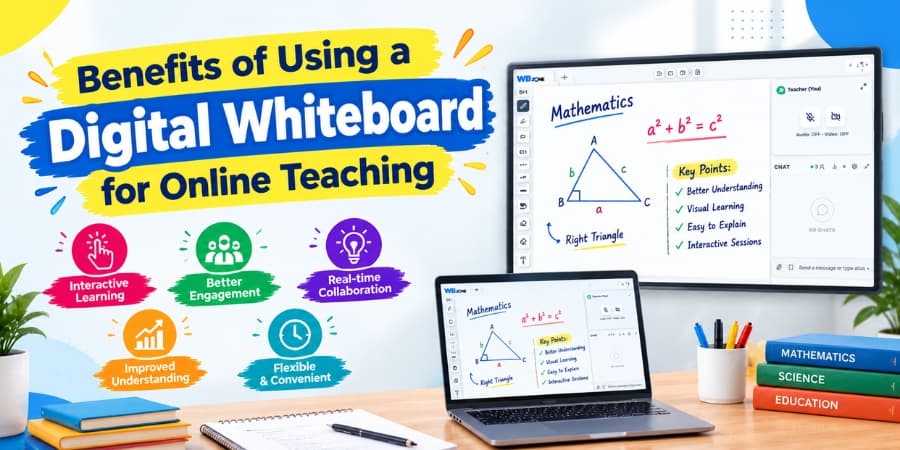
A digital whiteboard for online teaching allows tutors to write, draw, solve problems, and explain concepts during live classes. It is especially useful for subjects such as mathematics, science, and other topics that require step-by-step explanations.
Tutors can use a digital whiteboard to explain difficult concepts visually instead of relying only on verbal instructions. Students can follow each step more easily and understand the lesson better.
2. Audio and Video Communication Tools
Clear communication is essential for successful online teaching. Audio and video tools for tutors help explain lessons directly, interact with students, and understand whether learners are following the class.
Video communication also helps create a more personal classroom experience. Tutors should use a stable internet connection, a clear microphone, and a suitable camera setup to improve the quality of their sessions.
3. Live Chat Tools
Live chat for online classes makes it easier for students to ask questions during a lesson. Students can share doubts, request explanations, and communicate with tutors without interrupting the class.
Tutors can use chat to answer quick questions, share important instructions, and keep students involved throughout the session. It is particularly useful when several students are attending the same class.
4. Screen-Sharing Tools
Screen-sharing tools for online teaching allow tutors to display presentations, documents, diagrams, websites, and educational resources during a lesson.
Instead of explaining everything verbally, tutors can show the exact material students need to understand. This is useful for computer-related subjects, software demonstrations, presentations, and practical lessons.
5. Online Quiz and Poll Tools
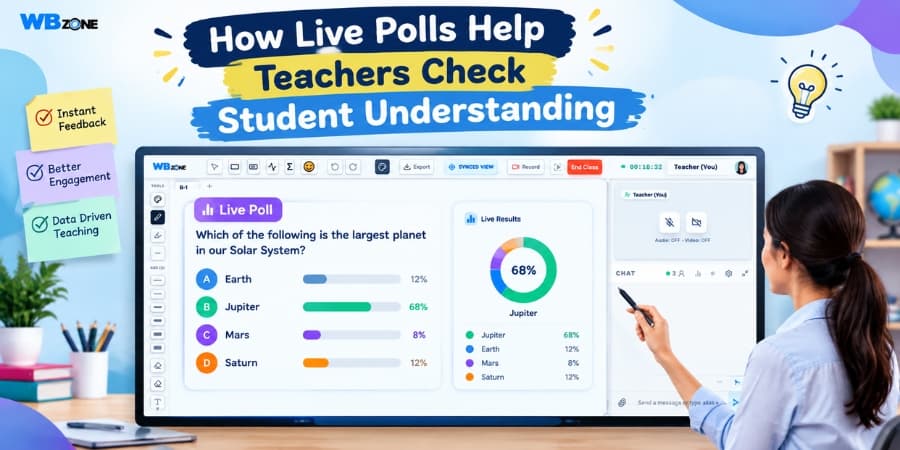
Online quiz and poll tools help tutors check whether students have understood a topic. A short quiz after a lesson can highlight areas where students need additional explanation.
Polls can also make classes more interactive by allowing students to answer questions and share their opinions. These tools help tutors assess learning progress during the session rather than waiting until the end of a course.
6. Assignment-Sharing Tools
Online assignment management tools allow tutors to share homework, provide instructions, collect submissions, and review student work.
A clear assignment-sharing process helps students understand their responsibilities and deadlines. It also makes it easier for tutors to organise learning activities across different classes.
7. Recorded Lesson Tools
Recorded online lessons allow students to revisit important topics after a live session. They are particularly helpful for learners who need additional practice or want to review a difficult explanation before an examination.
Tutors can use recordings, where supported and with appropriate permission, to help students revise lessons at their own pace. Organising recordings by subject and topic can make them easier to access later.
8. Student Progress and Assessment Tools
Student progress tracking tools help tutors identify strengths, learning gaps, and areas that need more attention. Assessment tools can help organise test results, quiz scores, assignment performance, and feedback.
By reviewing this information regularly, tutors can adjust their teaching methods and provide additional support to students who need it.
9. All-in-One Online Teaching Platforms
Using separate tools for video calls, chat, whiteboards, quizzes, and assignments can make online teaching difficult to manage. Tutors may need to switch between applications during a single lesson, which can interrupt the learning experience.
An all-in-one online teaching platform brings multiple classroom features together in one place. This can help tutors conduct live sessions, explain concepts, communicate with students, and share learning materials more conveniently.
WhiteBoardZone offers an online teaching environment designed to support interactive classes. Tutors can explore features such as a digital whiteboard, audio and video communication, live chat, polls, quizzes, and assignment sharing to make lessons more engaging.
How to Choose the Right Online Teaching Tools
Before selecting any tool, tutors should consider their teaching requirements and students' learning needs. The right choice should make lessons easier to conduct and help students participate actively.
| Requirement | Useful Tool |
|---|---|
| Explaining concepts visually | Digital whiteboard |
| Conducting live lessons | Audio and video communication |
| Answering student doubts | Live chat |
| Demonstrating practical tasks | Screen sharing |
| Checking understanding | Quizzes and polls |
| Managing homework | Assignment-sharing tools |
| Supporting revision | Recorded lessons |
| Monitoring learning progress | Assessment tools |
Tutors should also consider ease of use, internet requirements, device compatibility, student privacy, and the overall cost of the platform.
Conclusion
The right tools can help tutors create engaging lessons, explain complex topics clearly, and manage their classes more efficiently. Digital whiteboards, live chat, video communication, quizzes, and assignment-sharing features all contribute to a better learning experience.
Instead of using too many separate applications, tutors can explore an integrated solution that brings essential teaching features together. Visit WhiteBoardZone at whiteboardzone.com to explore an interactive approach to online classes and make every concept clear.