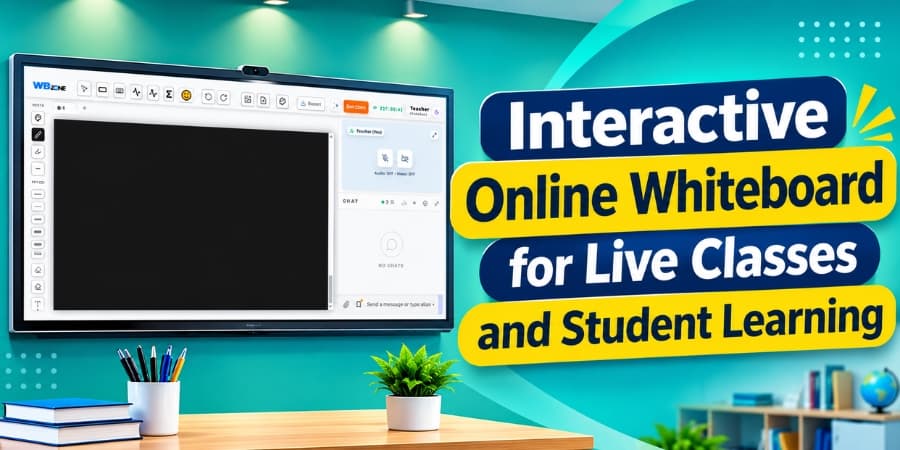
Online teaching has become an important part of modern education. Teachers, tutors, and coaching institutes use digital tools to explain concepts, share learning materials, and communicate with students remotely. An interactive online whiteboard makes these activities more visual and engaging by allowing teachers to write, draw, highlight important points, and explain lessons during live classes.
For educational institutions that want to improve their virtual classrooms, an online whiteboard for live classes can provide a convenient way to deliver lessons and help students follow concepts more clearly.
What Is an Interactive Online Whiteboard?
An interactive online whiteboard is a digital workspace that allows teachers and students to work with written content, diagrams, drawings, equations, and other learning materials through an internet-connected device.
Unlike a traditional classroom board, an online teaching whiteboard can be accessed during virtual lessons. Teachers can explain a topic in real time while students follow the explanation on their own devices.
It is useful for school subjects, competitive exam preparation, professional training, and individual tutoring sessions.
How an Online Whiteboard Supports Live Classes
1. Real-Time Concept Explanation
Teachers can write important points, solve questions step by step, and draw diagrams while conducting a live class. This approach can make lessons easier to follow, especially when teaching mathematics, science, or other subjects that require visual explanations.
2. Better Student Engagement
A well-designed interactive whiteboard for online classes helps teachers present information visually instead of relying entirely on verbal explanations. Depending on the platform's features, students may also participate by answering questions, annotating content, or contributing to shared activities.
3. Clear Presentation of Difficult Topics
Some concepts require formulas, charts, illustrations, or detailed working steps. A digital whiteboard for teaching allows teachers to organize these elements in one workspace and explain each part at a suitable pace.
4. Convenient Access to Learning Resources
Online whiteboard platforms may support tools such as text, drawing pens, shapes, image uploads, and document sharing. These capabilities allow teachers to prepare or present learning materials according to their lesson requirements.
5. More Interactive Question-and-Answer Sessions
During a live class, teachers can use the board to solve student questions, demonstrate alternative methods, and review important topics. This creates opportunities for more focused discussions and immediate clarification.
Important Features of an Interactive Online Whiteboard
The right features depend on the teaching environment and the needs of students. When selecting an online whiteboard for live classes, teachers and institutes should consider the following capabilities.
Digital Pen and Drawing Tools
Writing and drawing tools allow teachers to explain equations, underline important information, create diagrams, and highlight key concepts during lessons.
Audio and Video Integration
When an online whiteboard works alongside audio and video communication, teachers can explain concepts verbally while presenting related material on the board. This can make virtual lessons more convenient to manage.
Screen Sharing
Screen sharing allows teachers to present educational applications, presentations, websites, or other learning resources during a class. Combining these resources with whiteboard explanations can support different teaching methods.
Chat and Student Interaction
A chat feature can help students ask questions, share doubts, and communicate during live lessons. Teachers can address questions while continuing to explain the topic.
Saving and Sharing Lesson Content
If supported by the platform, saving or exporting whiteboard content allows students to review explanations after class. Teachers can also reuse suitable material in future lessons, reducing repetitive preparation work.
Benefits of Online Whiteboards for Different Teaching Environments
| Teaching Environment | How an Online Whiteboard Can Help |
|---|---|
| School Classes | Explain academic concepts through writing and diagrams. |
| Coaching Institutes | Discuss exam questions and solve problems step by step. |
| Competitive Exam Preparation | Explain mock test questions and review solutions. |
| Private Tutoring | Provide focused, personalized explanations. |
| Professional Training | Present processes, workflows, and practical examples. |
| Online Courses | Support visual explanations during virtual lessons. |
How Teachers Can Use an Online Whiteboard Effectively
An online whiteboard becomes more useful when teachers organize their lessons before the class and use its features purposefully.
- Prepare the Lesson: Arrange key points, diagrams, and examples before starting the session.
- Keep Explanations Organized: Divide complex topics into smaller steps and highlight important information.
- Encourage Participation: Invite students to ask questions and contribute when the platform supports interactive activities.
- Use Visual Examples: Combine written explanations with diagrams, equations, and relevant illustrations.
- Review Important Points: Summarize the main concepts at the end of the lesson and share saved materials when available.
- Check Technical Readiness: Test the internet connection, microphone, camera, and whiteboard tools before the session.
Choosing the Right Online Whiteboard for Live Teaching
Before choosing an online teaching platform, teachers and institutes should evaluate ease of use, device compatibility, available collaboration tools, and the quality of the live classroom experience.
It is also important to check whether the platform supports the required combination of digital whiteboarding, audio and video, screen sharing, chat, and learning material management. Pricing, student access, privacy controls, and technical support should also be considered.
The best choice is a platform that fits the teaching process without adding unnecessary complexity for teachers or students.
Conclusion
An interactive online whiteboard for live classes and student learning can help teachers explain difficult concepts, organize digital lessons, and encourage participation during virtual teaching sessions. Features such as digital writing tools, diagrams, screen sharing, and real-time communication can support a more structured learning experience.
By choosing a suitable online whiteboard and using it effectively, teachers, tutors, and educational institutes can make their online lessons more visual, organized, and convenient for students.