Online classes give students the flexibility to learn from different locations, but keeping them engaged throughout a lesson can be challenging. Students may lose focus when a class involves only listening to a teacher or reading information from a screen.
Teachers can make virtual lessons more interesting by encouraging participation, using visual explanations, asking questions, and providing opportunities for students to share their ideas. With the right teaching methods and digital tools, online classes can become more engaging and easier to understand.
1. Use an Interactive Online Whiteboard
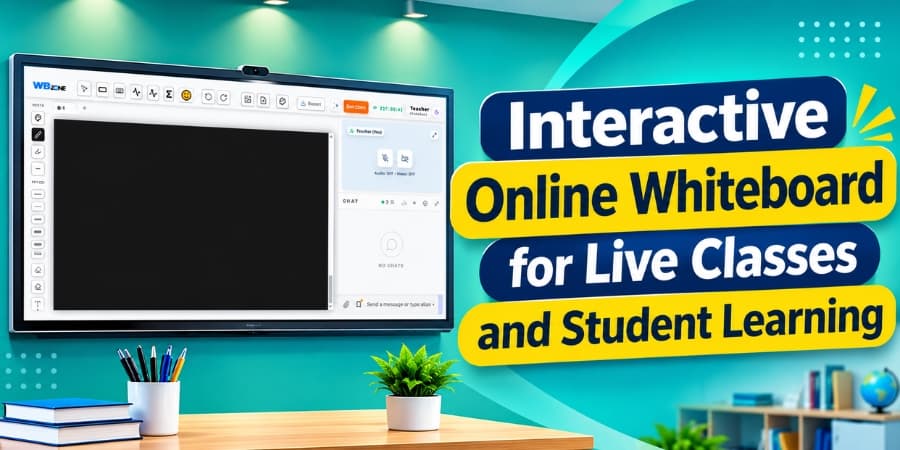
An interactive online whiteboard allows teachers to explain concepts visually instead of relying only on verbal explanations. Teachers can write notes, draw diagrams, solve equations, and highlight important information during live lessons.
For example, a mathematics teacher can solve a problem step by step, while a science teacher can draw diagrams to explain complex processes. Students can follow each step more easily and participate in discussions.
Using an online whiteboard also helps teachers organize lesson content and make explanations clearer.
2. Encourage Students to Ask Questions
Students may hesitate to ask questions during online classes, especially when they cannot interact with the teacher in person. Teachers can create a comfortable learning environment by regularly inviting questions and encouraging students to share their doubts.
Some useful approaches include:
Asking students if they need clarification after explaining a topic.
Allowing students to ask questions through chat.
Providing short question-and-answer sessions during lessons.
Encouraging students to explain their understanding in their own words.
Regular interaction helps teachers identify learning difficulties and address them before moving to the next topic.
3. Include Quizzes and Quick Assessments
Short quizzes can make online classes more engaging while helping teachers check whether students understand the lesson. Instead of waiting until the end of a chapter, teachers can ask a few questions after explaining each important concept.
Quizzes can include multiple-choice questions, true-or-false statements, short answers, or subject-related problems.
For example, after teaching a grammar rule, an English teacher can ask students to identify the correct sentence. Similarly, a mathematics teacher can provide a quick calculation to check understanding.
These activities encourage active participation and help teachers adjust their teaching methods when necessary.
4. Use Visual Examples and Real-Life Situations
Students often understand difficult topics more easily when teachers connect them with real-life examples. Images, diagrams, charts, and demonstrations can make abstract concepts easier to understand.
For example, teachers can use everyday shopping examples to explain percentages, maps to teach geography, or simple experiments to demonstrate scientific principles.
Combining visual explanations with spoken instructions gives students different ways to understand and remember information.
5. Make Screen Sharing More Purposeful
Screen sharing allows teachers to show presentations, documents, educational videos, diagrams, and other learning materials during live classes.
However, sharing a screen alone does not guarantee student engagement. Teachers should explain the material, ask questions, and invite students to discuss what they see.
For example, a teacher can display a practice question, ask students to solve it independently, and then explain the correct solution on a digital whiteboard.
This approach turns screen sharing into an active learning activity rather than a passive presentation.
6. Organize Group Activities and Discussions
Group activities give students opportunities to communicate, exchange ideas, and learn from one another. Teachers can divide a class into small groups or assign collaborative tasks during a live session.
Possible activities include:
Solving problems together.
Discussing a topic and sharing conclusions.
Preparing short presentations.
Comparing different answers to the same question.
Working together on a diagram or assignment.
These activities help students develop communication, problem-solving, and teamwork skills while making online learning more participatory.
7. Use Polls to Collect Student Opinions
Polls are a simple way to involve the entire class without asking every student to speak individually. Teachers can use them to check prior knowledge, gather opinions, or review a recently taught concept.
For example, a teacher can ask students which answer they think is correct before explaining the solution. The responses provide a quick indication of how well the class understands the topic.
Polls can also help teachers identify misconceptions and decide which concepts require further explanation.
8. Break Long Lessons Into Smaller Sections
Long online sessions without breaks or activities can make it difficult for students to maintain attention. Teachers can divide lessons into shorter sections and introduce small interactive tasks between them.
A lesson might include a short explanation, a visual demonstration, a question-and-answer activity, and a brief quiz.
This structure gives students regular opportunities to participate and helps teachers check understanding throughout the class.
9. Provide Feedback During the Lesson
Feedback helps students understand what they are doing correctly and where they need improvement. Teachers should acknowledge correct answers, explain mistakes constructively, and provide suggestions for improvement.
For example, when a student makes an error while solving a problem, the teacher can identify the incorrect step and guide the student toward the correct method.
Timely feedback makes learning more supportive and helps students build confidence in their abilities.
10. Choose the Right Online Teaching Tools
The tools used during a virtual lesson can influence how easily teachers and students interact. An effective online teaching setup may include video and audio communication, an interactive whiteboard, chat, screen sharing, quizzes, and assignment-sharing features.
Teachers should choose tools that support their teaching methods without making the learning process unnecessarily complicated.
Platforms such as WhiteBoardZone can support online teaching through digital whiteboard activities and visual explanations. Teachers can explore suitable tools to make lessons more organized and interactive.
Benefits of Interactive Online Classes
Interactive teaching methods can provide several benefits for both teachers and students.
Benefit | How It Helps |
|---|---|
Better student participation | Encourages students to contribute during lessons. |
Clearer explanations | Visual examples help simplify difficult concepts. |
Faster identification of doubts | Questions and quizzes reveal learning gaps. |
Improved collaboration | Group activities encourage the exchange of ideas. |
More useful feedback | Teachers can identify mistakes and guide students. |
Better lesson organization | A structured mix of explanations and activities supports learning. |
The results depend on the students, subject, teaching approach, and suitability of the activities. Teachers should choose methods that match their students' needs rather than adding too many activities to every lesson.
Conclusion
Making online classes more interactive requires more than delivering information through a video call. Teachers need to create opportunities for students to ask questions, solve problems, share ideas, and participate throughout the lesson.
Interactive whiteboards, quizzes, polls, group discussions, screen sharing, and timely feedback can make virtual lessons more engaging and easier to follow. By combining these methods with suitable digital teaching tools, teachers can create a more participatory learning environment and improve the overall online learning experience.